
“if i can give a zero rate i hve too, this is trush apps just start to clean up all adds begins to pop up, you guys never turn your face and look at this apps can think to download it up .i just waseting my data to download this apps .”
Independent automated assessment · 3 signal sources · 216 reviews scanned · analyzed 2026-10-04.
Ace Cleaner
Veristocop18Ace Cleaner – Junk Cleaner & File Manager Managing your device storage doesn’…
4.0 ★5,504 ratings
5M+Downloads
4+Age rating
—App size
FreeIn-app purchases
About this app
Ace Cleaner – Junk Cleaner & File Manager Managing your device storage doesn’t have to be complicated. Ace Cleaner offers a simple to clean junk files, organize apps, and manage your photos, videos, and documents.
●Clean Junk Files & Cache Over time, phones accumulate temporary files, cache data, and other items that may take up unnecessary storage. Ace Cleaner scans junk files and allows you to review and remove them.
●App Organizer With Ace Cleaner’s App Organizer, you can: View all installed apps Check storage and data usage for each app Uninstall apps you no longer need
●Photo & Video Tidy-Up Screenshots, duplicate images, and old videos can slowly fill your gallery. Ace Cleaner helps you: Review photos, videos, and documents with ease Decide what to keep or remove…
Preview
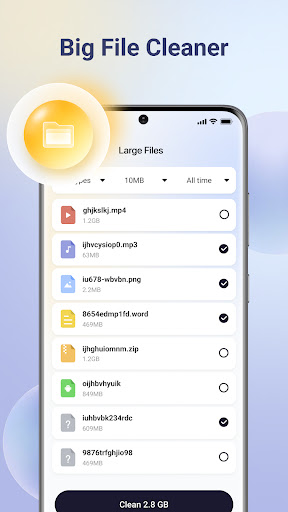
Real screenshots from the store listing.




Independent evidence report
Evidence and review signals
This is where the page changes from an app-store listing into an evidence report: findings, important reviews, pricing and a dated history.
Which version this describes
When we ran this analysis, and what the store lists now.
This analysis describes version V1.1.9 of the app, analyzed 2026-10-04 . The app may have changed since.
The store currently lists version V1.2.2, updated 2026-09-29.
The app has been updated since this analysis. The findings on this page describe version V1.1.9, not the version now listed on the store.
Release notes for the newer versions, in the developer’s own words:
Version V1.2.2 · 2026-09-29
No release notes were provided for this version.
What we measured
Each line is a measurement published as a measurement, never a verdict.
Each line is a measurement, published as a measurement. Where we have not looked, the line says so rather than reading as a zero.
Developer replies to reviews
Replies to fewer than 1 review in 20
Price in the store description
States no price and billing period
Cancelling, in the store description
Does not say how to cancel
Themes reported by reviewers
1 theme reported
Counted from the reviews we have read for this app. "No theme reported" means no theme reached our reporting threshold — it is not a finding that nothing is wrong with this app, and we do not say it is.
Five-star share of ratings
Under 65% five-star
Arithmetic on the stores' own published rating counts. It says nothing about why the ratings fall where they do.
In the package we scanned
No package has been scanned for this app, so nothing is published about what it ships. That is an absence of evidence about the app, not a finding about it.
Graded bands · predicate set 1.4 · how these are measured
What the analysis found
App-specific findings, grouped by what each one rests on. How they are graded lives on its own page.
Positive evidence 1
Things this app does right, published at the same strengths as the catch list.
Developer says data deletion can be requested
The developer's data-safety disclosure on the store states that users can request deletion of their data, or the app's own text offers a way to delete the account. This restates what the developer declares; it is not a test of whether deletion works. Apple publishes no equivalent disclosure, so on an Apple-only listing only the app's own text can support it.
What we saw: The developer's store data-safety disclosure states that data deletion can be requested; we have not seen a deletion control in the app's own text
One source only — shown, not confirmed 1
A single kind of evidence. We publish these because withholding them would be the bigger distortion, and we do not treat any of them as a finding we stand behind.
Reported by users: Aggressive ad load
Advertising volume or placement that interrupts normal use: ads between every action, unskippable or forced full-screen ads.
What we saw: Aggressive ad load: raised by 10 distinct reviewers (4.6% of 216 reviews scanned)
Highlighted reviews
Representative public review excerpts shown as user reports, not Appworthy audit evidence.
“useless app to many adds trying to have you install garbage apps, hard to close adds, every 15 seconds an add I have deleted this one, and very hard to uninstall”
“ti many ads on cleaners”
Assessment & version history
App changes and Appworthy events in one timeline.
Store listing updated to version V1.2.2.
What this app sells
Useful store-disclosed pricing, kept below the app listing.
Business modelFree
Prices and terms as disclosed by the store listing.