Real store listing · independent assessment pending.

4.3 ★6,401 ratings
—Downloads
4+Age rating
110 MBApp size
FreeIn-app purchases
About this app
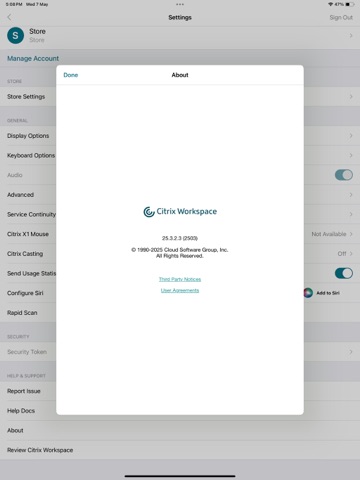
Citrix Workspace app lets you access your SaaS, web apps, mobile, virtual apps, files, and desktops to help you be as productive on the go as you are in the office. If your company uses Citrix, you have the freedom to work on your favourite device from wherever you are. Just ask your IT department how to get started.
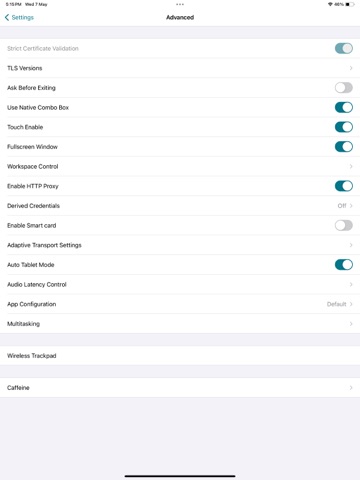
HOW TO USE CITRIX Workspace app 1. Open Citrix Workspace app and tap on Get Started. 2. Enter the Server or email address as instructed by Your IT Help Desk or system administrator. 3. Enter your User Name and Password. 4. Select the applications you want to use. 5. For adding multiple accounts, navigate to Settings and tap on Manage Accounts. 6. For Deleting/Editing Account already added navigate to Settings and tap on the Store.
HOW TO REPORT AN ISSUE TO CITRIX - Please contact your company's IT support team before following these steps:
Option 1 1.…
Preview
Real screenshots from the store listing.




Independent evidence report
Evidence and review signals
This is where the page changes from an app-store listing into an evidence report: findings, important reviews, pricing and a dated history.
What we measured
Each line is a measurement published as a measurement, never a verdict.
Each line is a measurement, published as a measurement. Where we have not looked, the line says so rather than reading as a zero.
Developer replies to reviews
Not assessed
Fewer than 50 reviews scanned — too few to state a rate
Price in the store description
States no price and billing period
Cancelling, in the store description
Does not say how to cancel
Themes reported by reviewers
Not assessed
This app's reviews have not been assessed yet
Five-star share of ratings
65–79% five-star
Arithmetic on the stores' own published rating counts. It says nothing about why the ratings fall where they do.
In the package we scanned
No package has been scanned for this app, so nothing is published about what it ships. That is an absence of evidence about the app, not a finding about it.
Graded bands · predicate set 1.4 · how these are measured
What the analysis found
App-specific findings, grouped by what each one rests on. How they are graded lives on its own page.
No review themes cleared the reporting threshold.
Assessment & version history
App changes and Appworthy events in one timeline.
What this app sells
Useful store-disclosed pricing, kept below the app listing.
Business modelFree
Prices and terms as disclosed by the store listing.