Public review signal · 100 reviews scanned · scope limited to review patterns.

4.5 ★2,452 ratings
—Downloads
4+Age rating
45 MBApp size
FreeIn-app purchases
About this app
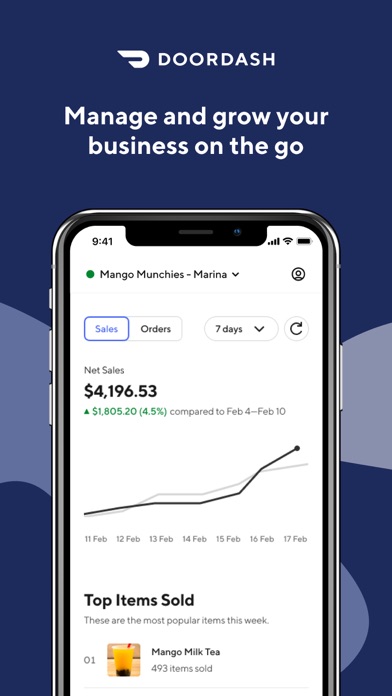
Track orders in progress, resolve issues, access Support, keep track of your business performance, and get real-time notifications on DoorDash.
TRACK LIVE ORDERS Manage in-progress orders and see your Dasher's status, location, and arrival time. Mark an item out of stock or cancel an order if you’re having trouble fulfilling it. Call your customer or Dasher if there are any order issues, and chat with or call DoorDash Support anytime.
MANAGE STORE AVAILABILITY AND HOURS Update store hours, closures, and more. Plus, easily switch to view any of your other stores on DoorDash.
GET DAILY BUSINESS DATA View daily, weekly, and monthly performance recaps and get insights into your top-performing menu items on DoorDash.
USE WITH THE ORDER MANAGER TABLET APP or POS The Business Manager app complements your existing order protocol.…
Preview
Real screenshots from the store listing.


Independent evidence report
Evidence and review signals
This is where the page changes from an app-store listing into an evidence report: findings, important reviews, pricing and a dated history.
What we measured
Each line is a measurement published as a measurement, never a verdict.
Each line is a measurement, published as a measurement. Where we have not looked, the line says so rather than reading as a zero.
Developer replies to reviews
Replies to fewer than 1 review in 20
Price in the store description
States no price and billing period
Cancelling, in the store description
Says how to cancel
Themes reported by reviewers
No theme reported
Counted from the reviews we have read for this app. "No theme reported" means no theme reached our reporting threshold — it is not a finding that nothing is wrong with this app, and we do not say it is.
Five-star share of ratings
80–89% five-star
Arithmetic on the stores' own published rating counts. It says nothing about why the ratings fall where they do.
In the package we scanned
No package has been scanned for this app, so nothing is published about what it ships. That is an absence of evidence about the app, not a finding about it.
Graded bands · predicate set 1.4 · how these are measured
What the analysis found
App-specific findings, grouped by what each one rests on. How they are graded lives on its own page.
No review themes cleared the reporting threshold.
Assessment & version history
App changes and Appworthy events in one timeline.
What this app sells
Useful store-disclosed pricing, kept below the app listing.
Business modelFree
Prices and terms as disclosed by the store listing.