Public review signal · 281 reviews scanned · scope limited to review patterns.

3.9 ★2,668 ratings
—Downloads
4+Age rating
44 MBApp size
Free · In-app purchasesIn-app purchases
About this app
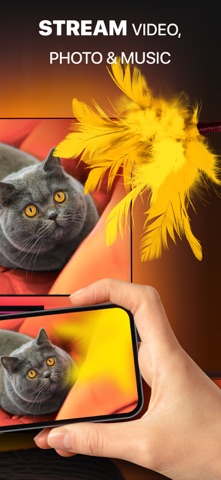
DoCast is a great screen mirroring app for iPhone and iPad that allows you to mirror screen to any Smart TV in high quality with no delay.
Seamlessly mirror, connect iPhone to Smart TV, and easily stream any media content, whether it's music, videos, or photos.
How to screen mirror iPhone to Smart TV:
1. Open DoCast and select your device from the list of available. 2. Press the "Screen" button on the main screen of DoCast to start screen mirroring. 3. Configure the settings with which mirroring will occur and tap the "Start mirroring" button. 4. Tap the "Stop mirroring" button on the DoCast screen to stop screen mirroring.
If you want to cast from iPhone to TV, simply tap the corresponding button - Videos, Photos, or Music - on the main screen of DoCast, and choose the content you want to stream.…
Preview
Real screenshots from the store listing.



Independent evidence report
Evidence and review signals
This is where the page changes from an app-store listing into an evidence report: findings, important reviews, pricing and a dated history.
What we measured
Each line is a measurement published as a measurement, never a verdict.
Each line is a measurement, published as a measurement. Where we have not looked, the line says so rather than reading as a zero.
Developer replies to reviews
Replies to fewer than 1 review in 20
Price in the store description
States no price and billing period
Cancelling, in the store description
Does not say how to cancel
Themes reported by reviewers
No theme reported
Counted from the reviews we have read for this app. "No theme reported" means no theme reached our reporting threshold — it is not a finding that nothing is wrong with this app, and we do not say it is.
Five-star share of ratings
65–79% five-star
Arithmetic on the stores' own published rating counts. It says nothing about why the ratings fall where they do.
In the package we scanned
No package has been scanned for this app, so nothing is published about what it ships. That is an absence of evidence about the app, not a finding about it.
Graded bands · predicate set 1.4 · how these are measured
What the analysis found
App-specific findings, grouped by what each one rests on. How they are graded lives on its own page.
No review themes cleared the reporting threshold.
Assessment & version history
App changes and Appworthy events in one timeline.
What this app sells
Useful store-disclosed pricing, kept below the app listing.
Items shown4
Lowest$6.99
Highest$44.99
Weekly Premium Upgrade$6.99
Monthly Premium Upgrade$9.99
Yearly Premium Upgrade$29.99
Lifetime Premium Upgrade$44.99