 Appworthy
App Store
Version 3.3.0 · 2026-10-28
・新しい歌164番まで対応しました。PDFになっていない歌は、jw.orgにあるJWPUB版をダウンロードして表示します。この場合は左右分割表示やページめくりは機能しません。縦スクロールのみです。 ・バックアップ機能を強化しました。「詳細設定」にある「バックアップ」ボタンを長押しすると、PDF本体・しおり・ペンの設定を含めたバックアップを作成できます。またそれぞれの項目をバックアップするかしないか選択できます。
Too little checked to say Store information only. We haven’t analysed this app or read its reviews yet.
Not yet tested.
The store currently lists version 3.3.0, updated 2026-10-28.
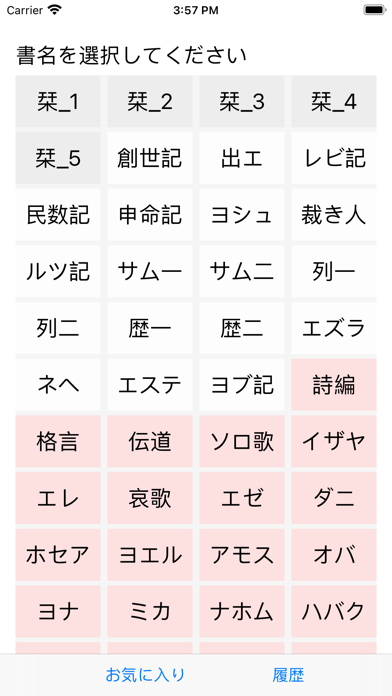
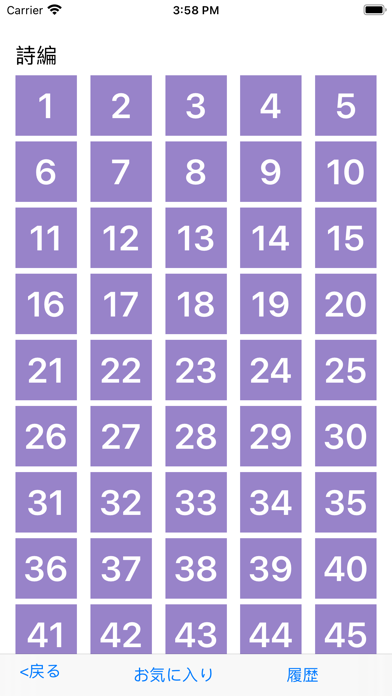
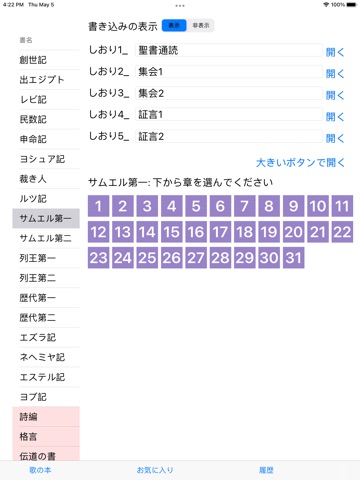
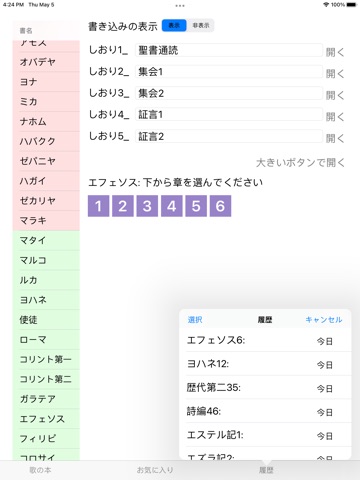
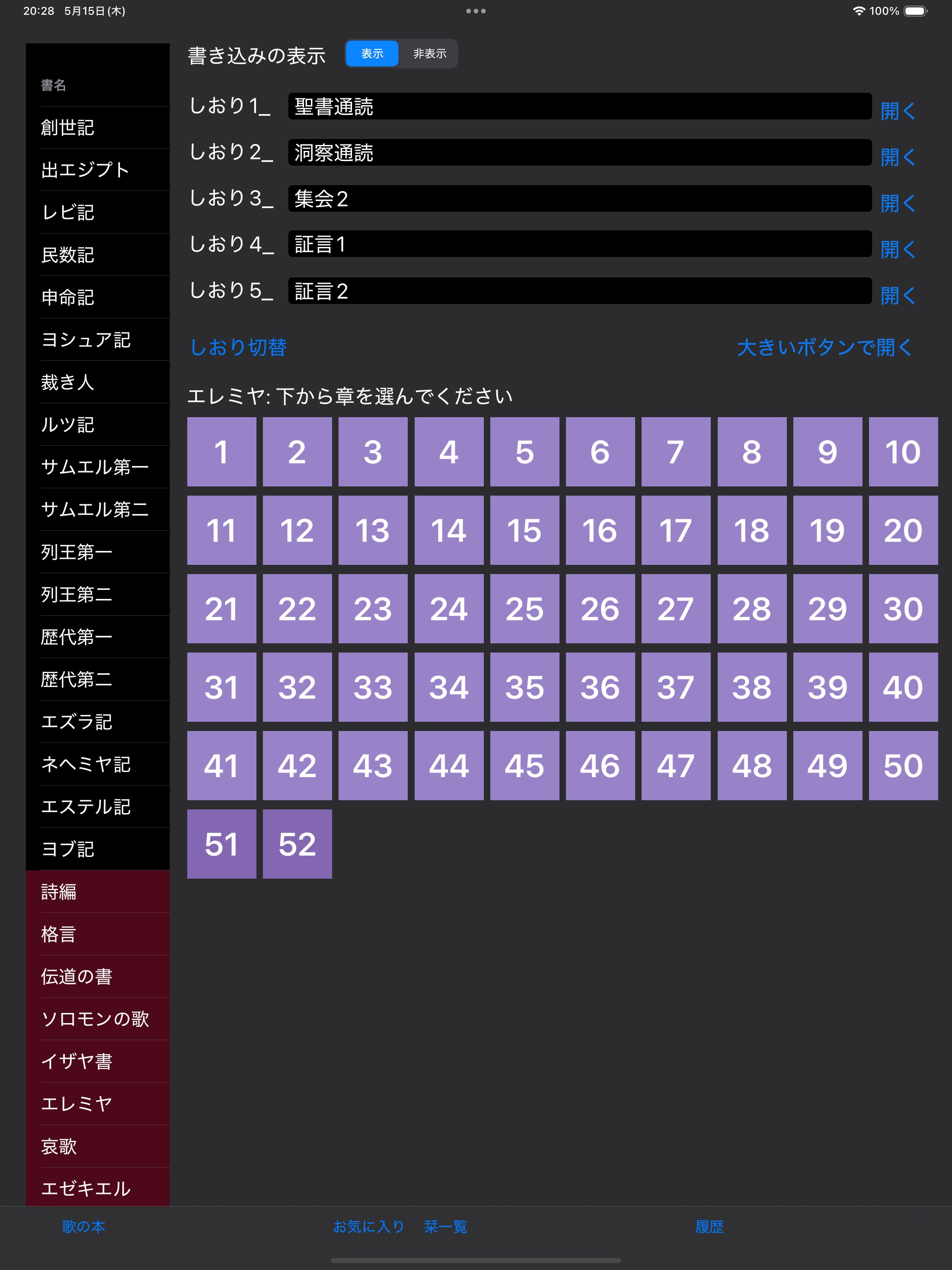
Store screenshots supplied by the developer.
エホバの証人の公式サイトjw.orgでは、日本語新世界訳聖書のPDFが入手できます。そのPDFをiPadで便利に見るためのアプリです。書名と章を選ぶと、該当ページを表示します。スワイプや、画面の端をタップすると、ページをめくります。ピンチアウトやダブルタップで、拡大縮小します。しおりも使えます。歌の本にも対応しました。
しおりをはさむむ時に、はさむしおりをロングタップすると、そこで名前が入力できます。
※このアプリは、jw.org公式ではありません。個人で作ったものです。操作方法や不具合などをものみの塔協会に問い合わせないでください。
※欄外参照の聖句を開く機能を追加
※履歴の項目をダブルタップすると、名称を変更できる機能を追加
※履歴をお気に入りに登録する機能を追加。履歴を表示して、左上にある「選択」をタップすると、履歴を複数選択できます。選択したら、左上の「お気に入り出力」をタップすると、お気に入りに登録できます。
※横向きでの拡大1ページ表示
横向きで2ページ表示中に、拡大したいところをロングタップしてください。その部分を1ページに拡大して表示します。1ページのままスクロール、拡大縮小、ページめくりもできます。再び2ページに戻すには、どこでもいいのでロングタップすれば戻ります。
※履歴とお気に入り
聖書を開いた状態で、しおりボタンの左にあるブックマークのボタンをタップすると、そのページをお気に入りに登録できます。
お気に入りのテーマ項目を自分で増やすこともできます。
履歴の項目からは、過去に開いた聖書のページや、過去の書き込みなどを確認したり、開いたりできます。
アプリの目的
大きな字で読みたい、PDFでサッと開いて読みたい、iPad初心者なので、操作に慣れたい、などの要望に答えられたらと思っています。…
From the developer’s store description.
For developers and the curious
The evidence, sources, measurements and versions behind every label above.
No review analysis published for this app.
“Not assessed” means we could not measure it. It is never a zero and never a pass.
No package has been scanned for this app, so nothing is published about what it ships. That is an absence of evidence, not a finding.
Supporting measurements: not a complete list of possible harms or positives. Measurement vocabulary 1.4 · how these are measured
Not yet tested. No analysis has been run for this app, so there is no version or date to report.
Each store’s release notes, as the developer wrote them. They are the developer’s words, not ours.
・新しい歌164番まで対応しました。PDFになっていない歌は、jw.orgにあるJWPUB版をダウンロードして表示します。この場合は左右分割表示やページめくりは機能しません。縦スクロールのみです。 ・バックアップ機能を強化しました。「詳細設定」にある「バックアップ」ボタンを長押しすると、PDF本体・しおり・ペンの設定を含めたバックアップを作成できます。またそれぞれの項目をバックアップするかしないか選択できます。
apple-928220828What the stores publish. Store ratings are the stores’ numbers, not Appworthy’s, and are never averaged across stores.
No itemized purchase list is available for this listing.
Not yet tested. No analysis has been published for this app, so there is no method to describe for it yet. A missing label is not a clean bill of health: it means nothing has been read, not that nothing is wrong.
Write to [email protected], or use the form. Name the finding, the app version and the evidence that needs correcting. Factual corrections are free and never depend on buying anything.