 Appworthy
App Store
Version 1.5 · 2026-08-03
- Fix the need to restart AstroFits for the thumbnail to display after subscribe. User may need to close and open the Files app to refresh the FITS file thumbnail.
Too little checked to say Store information only. We haven’t analysed this app or read its reviews yet.
Not yet tested.
The store currently lists version 1.5, updated 2026-08-03.
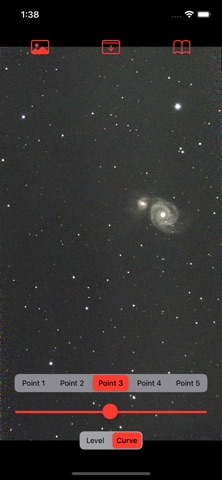
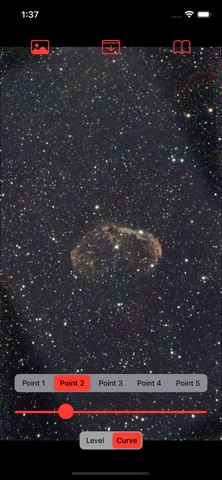
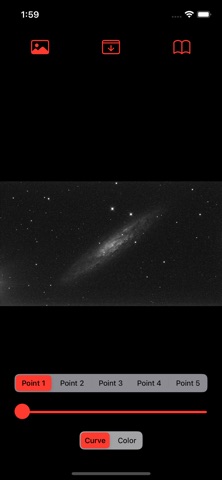
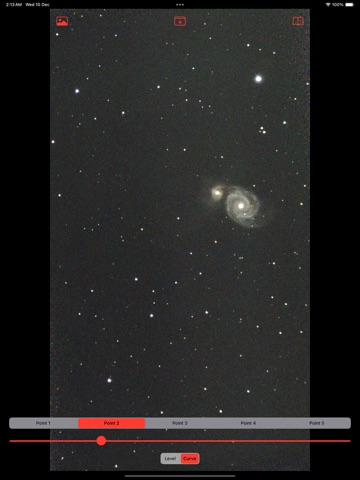
Store screenshots supplied by the developer.
A simple app to open FITS file in iOS quickly using GPU. It has an auto-stretch feature. And works on FITS file with RGB or gray color. It handles BITPIX of 8,16,32,-32 and -64. It is designed and tested for Seetar FITS file. It takes about 2 seconds to open and automatically stretch a 50mb FITS file. Sample links are provided below. Enjoy!
Use:
1. Download your FITS file to your phone File directory.
2. Tap Image icon on the first top left.
3. Select your FITS file.
4. It will auto stretch.
5. Adjust the image level.
6. Adjust the image curve.
7. Tap the second top icon to save image to Photo.
If you encounter an issue, please email to [email protected] with your FITS file as attachment.
Sample:
Below are some FITS files for download.…
From the developer’s store description.
For developers and the curious
The evidence, sources, measurements and versions behind every label above.
No review analysis published for this app.
“Not assessed” means we could not measure it. It is never a zero and never a pass.
No package has been scanned for this app, so nothing is published about what it ships. That is an absence of evidence, not a finding.
Supporting measurements: not a complete list of possible harms or positives. Measurement vocabulary 1.4 · how these are measured
Not yet tested. No analysis has been run for this app, so there is no version or date to report.
Each store’s release notes, as the developer wrote them. They are the developer’s words, not ours.
- Fix the need to restart AstroFits for the thumbnail to display after subscribe. User may need to close and open the Files app to refresh the FITS file thumbnail.
astrofitsWhat the stores publish. Store ratings are the stores’ numbers, not Appworthy’s, and are never averaged across stores.
From the store listing. Billing terms are read from each purchase’s name — the stores don’t publish them — so treat them as a strong hint, not a disclosure.
Not yet tested. No analysis has been published for this app, so there is no method to describe for it yet. A missing label is not a clean bill of health: it means nothing has been read, not that nothing is wrong.
Write to [email protected], or use the form. Name the finding, the app version and the evidence that needs correcting. Factual corrections are free and never depend on buying anything.