
Garitas: Border Wait Times

SENTRI, NEXUS & Ready Lane

Sergio Burgueno
App Store rating2.5★2 ratings
PriceFreeIn-app $9.99
Age4+Store age rating
Size35 MBiPhone download
CategoryLifestyle

What we found

Full report

Too little checked to say Store information only. We haven’t analysed this app or read its reviews yet.

Money

Not yet tested.

The store currently lists version 2.43.2, updated 2026-10-24.

Preview

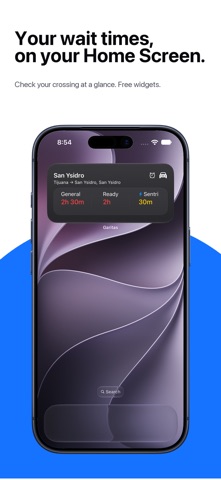
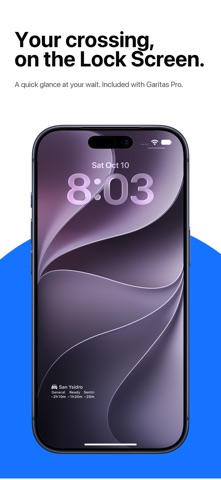
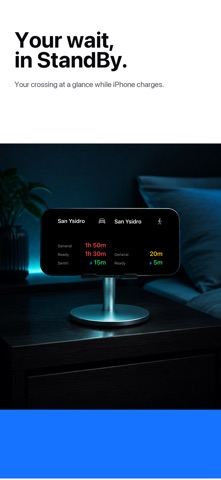
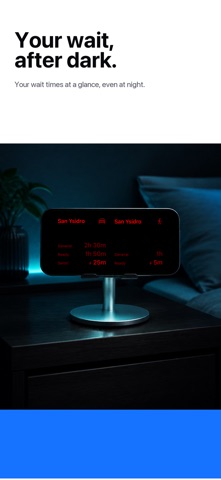
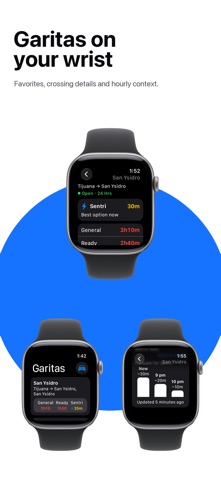
Screenshot 1Screenshot 2Screenshot 3Screenshot 4Screenshot 5Screenshot 6Screenshot 7Screenshot 8

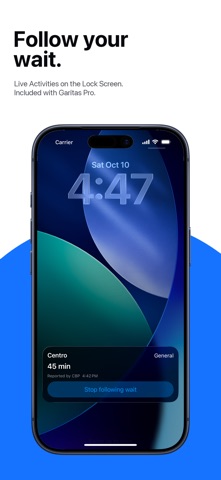
Store screenshots supplied by the developer.

About this app

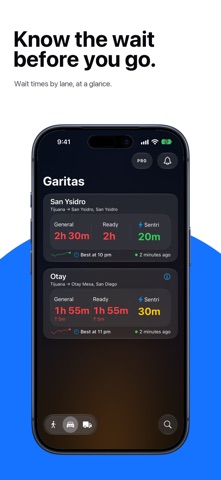
Check border wait times before you leave. Compare lanes, save your favorite crossings, and explore hourly patterns to help plan a trip from Mexico or Canada into the United States.

TWO BORDERS, ONE LIST

• Explore Mexico–U.S. and Canada–U.S. crossings separately.

• Check 29 Canadian crossings and the available Mexican border ports.

• Keep every favorite in one Home order, regardless of country.

• Search, compare nearby crossings, and explore them on the map.

CLEAR TIMES BY LANE

• Check General, Ready Lane, SENTRI or NEXUS, pedestrian, and commercial waits.

• Spot the fastest lane and compare the current wait with the previous hour.

• If a source stops updating, Garitas avoids presenting it as live.

PLAN A BETTER TIME

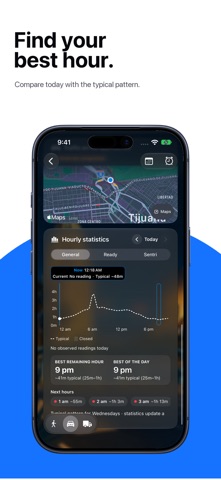
• The 24-hour chart compares today with the typical pattern.

• During a holiday week, compare Now, Typical, and the same holiday last year.…

From the developer’s store description.

For developers and the curious

The full report

The evidence, sources, measurements and versions behind every label above.

Findings and evidence

Not yet tested
Not yet tested. No analysis has been published for this app. A missing label is not a clean bill of health.

What reviewers report

No review coverage

No review analysis published for this app.

Measurements

3 measured · 5 not assessed

“Not assessed” means we could not measure it. It is never a zero and never a pass.

From store data and reviews

Developer replies to reviews
Not assessed
Fewer than 50 reviews scanned — too few to state a rate
Price in the store description
The store description doesn’t list prices (most don’t)
Cancelling, in the store description
The store description says how to cancel
Themes reported by reviewers
Not assessed
This app's reviews have not been assessed yet
Five-star share of ratings
Under 65% five-star
Arithmetic on the stores' own published rating counts. It says nothing about why the ratings fall where they do.

In the app package we scanned

No package has been scanned for this app, so nothing is published about what it ships. That is an absence of evidence, not a finding.

Sensitive permissions
Not assessed
No package has been scanned for this app
Analytics or tracking SDKs in the scanned package
Not assessed
No package has been scanned for this app
Advertising SDKs in the scanned package
Not assessed
No package has been scanned for this app
How we know

Supporting measurements: not a complete list of possible harms or positives. Measurement vocabulary 1.4 · how these are measured

Versions and dates analysed

Not yet tested

Not yet tested. No analysis has been run for this app, so there is no version or date to report.

Store update history

Each store’s release notes, as the developer wrote them. They are the developer’s words, not ours.

App Store

Version 2.43.2 · 2026-10-24
In a wide iPhone Duo window, the separate button above PRO shows or hides Favorites. If the App Store cannot load Garitas Pro, paid features remain protected and PRO stays visible with a retry option. Existing subscribers keep their verified access. Schedule recurring Pro alerts from a crossing’s calendar using its local time, opening hours and chosen weekdays. On iPhone Duo, crossing types, Ports, PRO and What’s New use the system’s vertical toolbar; the calendar and alarm remain in crossing details. Ordinary iPhone and iPad keep their existing controls. Apple Watch makes lane waits, report sources and times easier to compare, with a full-day chart that separates reported and typical…

Shortened here; the full notes are on the store listing.

Assessment record

Status
Not yet tested
App identifier
garitas
Sources used
None recorded
Reviews read
None recorded
Package examined
No package scan
Human inspection
Not completed
How we know
Measurement vocabulary
1.4

Store facts

App Store

What the stores publish. Store ratings are the stores’ numbers, not Appworthy’s, and are never averaged across stores.

App Store

Store rating
2.50 ★ · 2 ratings
Version
2.43.2
Updated
24 Oct 2026
Price
Free · In-app purchases
Age rating
4+
Size
35 MB
Open in App Store
Developer
Sergio Burgueno
Category
Lifestyle
Listing price
Free · In-app purchases

Purchases the store lists

 What this app sells

From the store listing. Billing terms are read from each purchase’s name — the stores don’t publish them — so treat them as a strong hint, not a disclosure.

Subscriptions1
Garitas Pro AnnualYearly$9.99

Method and limits

What this report can and cannot show

What a missing label means

Not yet tested. No analysis has been published for this app, so there is no method to describe for it yet. A missing label is not a clean bill of health: it means nothing has been read, not that nothing is wrong.

Limits of this report

  • A package scan is static. It identifies code and text in one Android build. It does not measure a live ad session, test a deletion request, or count the steps needed to cancel.
  • Reviews keep their sample. A review-only charge shows distinct reviewers, the share and the sample size, and is published only once it clears that label’s published threshold. Calibration labels are machine-drafted and not yet confirmed by a person.
  • Not assessed is a state. It is never a zero and never a pass.
  • A missing label is not a clean bill of health. It means the evidence did not support one, not that the app is problem-free.
Not yet human-reviewed. A human review gives an app hands-on, recorded measurements. None has been run for this app. Hands-on inspections are not yet open.

Request a correction

[email protected]

Write to [email protected], or use the form. Name the finding, the app version and the evidence that needs correcting. Factual corrections are free and never depend on buying anything.