Screen Mirroring With Miracast

Turn your iPhone into a complete TV companion.

Ahtisham Muhammad Sagheer
App Store rating1.9★8 ratings
Google Play rating3.8★115 ratings
PriceFreeIn-app purchases
Age4+Store age rating
Size14 MBiPhone download
CategoryUtilities

What we found

Full report

Too little checked to say Only reviews have been read so far (53 reviews). The app itself hasn’t been analysed.

Money

From review signals only, 27 Oct 2026.

App Store. The store currently lists version 1.6, updated 2026-10-18.

Google Play. The store currently lists version 1.0.24, updated 2026-10-16.

Preview

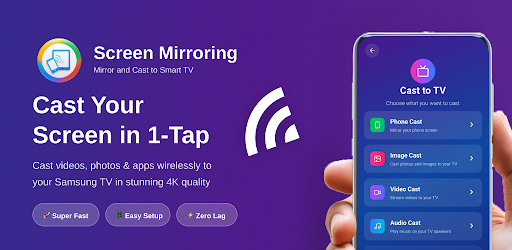
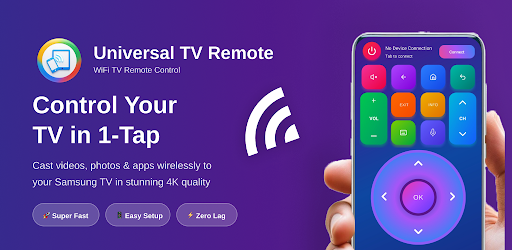
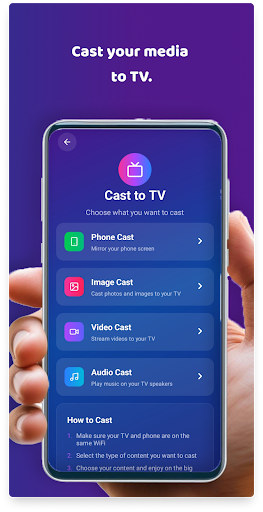
Screenshot 1Screenshot 2Screenshot 3Screenshot 4Screenshot 5

Store screenshots supplied by the developer.

About this app

Turn your iPhone into a complete TV companion. Send your photos, videos, music and web streams to a supported smart TV on the same Wi-Fi network, and control your TV right from your phone.

WHAT YOU CAN DO

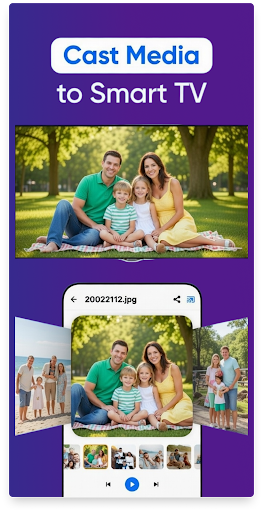
Cast Photos & Videos

Send your camera roll to the big screen. Browse albums on your phone while everyone watches on TV.

Stream From the Web

Paste a link and play supported web videos on your TV instead of your phone screen.

Music to Your TV

Play audio through your TV speakers for better sound at parties and gatherings.

TV Remote

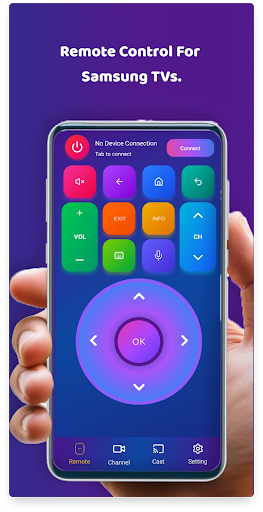
Volume, channels, playback and navigation — all from your phone. No more hunting for the physical remote.

Simple Setup

Connect your phone and TV to the same Wi-Fi, pick your TV from the list, and start casting. No cables, no extra hardware.

PREMIUM

Premium removes all ads and unlocks the full casting toolset, HD quality and priority support.…

From the developer’s store description.

For developers and the curious

The full report

The evidence, sources, measurements and versions behind every label above.

Findings and evidence

No findings published
No findings are published for this listing. These are review signals, not findings: nothing here is an assessment.

No recurring theme reached our reporting threshold in the reviews we scanned.

What reviewers report

53 reviews read · 0 review signals

53 reviews scanned. These are signals from public reviews, not findings. Nothing here is an assessment.

No recurring theme reached our reporting threshold in the reviews we scanned. That does not establish that reviewers had no problems.

Measurements

5 measured · 3 not assessed

“Not assessed” means we could not measure it. It is never a zero and never a pass.

From store data and reviews

Developer replies to reviews
Replies to fewer than 1 review in 20
Price in the store description
The store description doesn’t list prices (most don’t)
Cancelling, in the store description
The store description says how to cancel
Themes reported by reviewers
No theme reported
Counted from the reviews we have read for this app. "No theme reported" means no theme reached our reporting threshold — it is not a finding that nothing is wrong with this app, and we do not say it is.
Five-star share of ratings
65–79% five-star
Arithmetic on the stores' own published rating counts. It says nothing about why the ratings fall where they do.

In the app package we scanned

No package has been scanned for this app, so nothing is published about what it ships. That is an absence of evidence, not a finding.

Sensitive permissions
Not assessed
No package has been scanned for this app
Analytics or tracking SDKs in the scanned package
Not assessed
No package has been scanned for this app
Advertising SDKs in the scanned package
Not assessed
No package has been scanned for this app
How we know

Supporting measurements: not a complete list of possible harms or positives. Measurement vocabulary 1.4 · how these are measured

Versions and dates analysed

Review signals only

Review signals only. No automated analysis of the app itself has been run, so there is no analysed version to report; the signals were read from public reviews on 27 Oct 2026.

Store update history

Each store’s release notes, as the developer wrote them. They are the developer’s words, not ours.

App Store

Version 1.6 · 2026-10-18
• I have add premium card and also manage screen mirroring premium. • Fire TV: easier setup — the app now checks for the receiver on your TV and guides you through installing it • Connect a Fire TV by typing the code shown on the TV • Fire TV screen mirroring no longer disconnects on its own • Fire TV voice search fixed • Fire TV remote stays connected after the TV has been idle • New Social Apps card on the home screen • TV names now show correctly in the device list, with IP address and brand • Help & guide now includes Fire TV setup steps • Smoother mirroring when the screen isn't changing

Google Play

Version 1.0.24 · 2026-10-16

No release notes were provided for this version.

Assessment record

Status
Review signals only
App identifier
screen-mirroring-with-miracast
Review signals scanned
27 Oct 2026
Sources used
User reviews
Reviews read
53
Package examined
No package scan
Human inspection
Not completed
How we know
Measurement vocabulary
1.4

Store facts

App Store · Google Play

What the stores publish. Store ratings are the stores’ numbers, not Appworthy’s, and are never averaged across stores.

App Store

Store rating
1.88 ★ · 8 ratings
Version
1.6
Updated
18 Oct 2026
Price
Free
Age rating
4+
Size
14 MB
Open in App Store

Google Play

Store rating
3.76 ★ · 115 ratings
Version
1.0.24
Updated
16 Oct 2026
Price
Free · In-app purchases
Age rating
4+
Size
Not supplied
Open in Google Play
Developer
Ahtisham Muhammad Sagheer
Category
Utilities
Listing price
Free · In-app purchases

Purchases the store lists

 What this app sells
Google Play doesn’t publish per-purchase prices.

Method and limits

What this report can and cannot show

How a review signal works

A review signal is produced automatically from public app reviews by a classifier — never by a hands-on Appworthy test, and never by a human analyst. It exists so a real, not-yet-audited app can carry more than a blank “Not yet tested” listing, without ever being mistaken for an assessment.

A theme only appears above once at least 5 distinct reviews corroborate it — one angry review can never tag an app. These thresholds are published settings and may be tuned as coverage grows.

It carries no confirmed findings — reviews are one kind of evidence, and nothing here has been hands-on tested. The moment Appworthy publishes a full assessment of this app, it replaces this signal, permanently.

Limits of this report

  • A package scan is static. It identifies code and text in one Android build. It does not measure a live ad session, test a deletion request, or count the steps needed to cancel.
  • Reviews keep their sample. A review-only charge shows distinct reviewers, the share and the sample size, and is published only once it clears that label’s published threshold. Calibration labels are machine-drafted and not yet confirmed by a person.
  • Not assessed is a state. It is never a zero and never a pass.
  • A missing label is not a clean bill of health. It means the evidence did not support one, not that the app is problem-free.
Not yet human-reviewed. A human review replaces this review-derived signal with hands-on, recorded measurements. Hands-on inspections are not yet open.

Request a correction

[email protected]

Write to [email protected], or use the form. Name the finding, the app version and the evidence that needs correcting. Factual corrections are free and never depend on buying anything.